How to make animated true-story shorts with Claude Code
Short answer: You can make a 55-75 second vertical animated short end to end with Claude Code driving a Blender pipeline: pick a true story, source every fact, write to the narrator's pace, record the voice first, build a shot-by-shot timeline, render a cheap draft, render the final, mix the sound, and run checks before anything is posted. This guide walks through the 12 steps with the real commands and numbers from one finished film.
Written by the Buy Agent Skills team. Updated 8 November 2026.
Watch the demo Short on YouTube
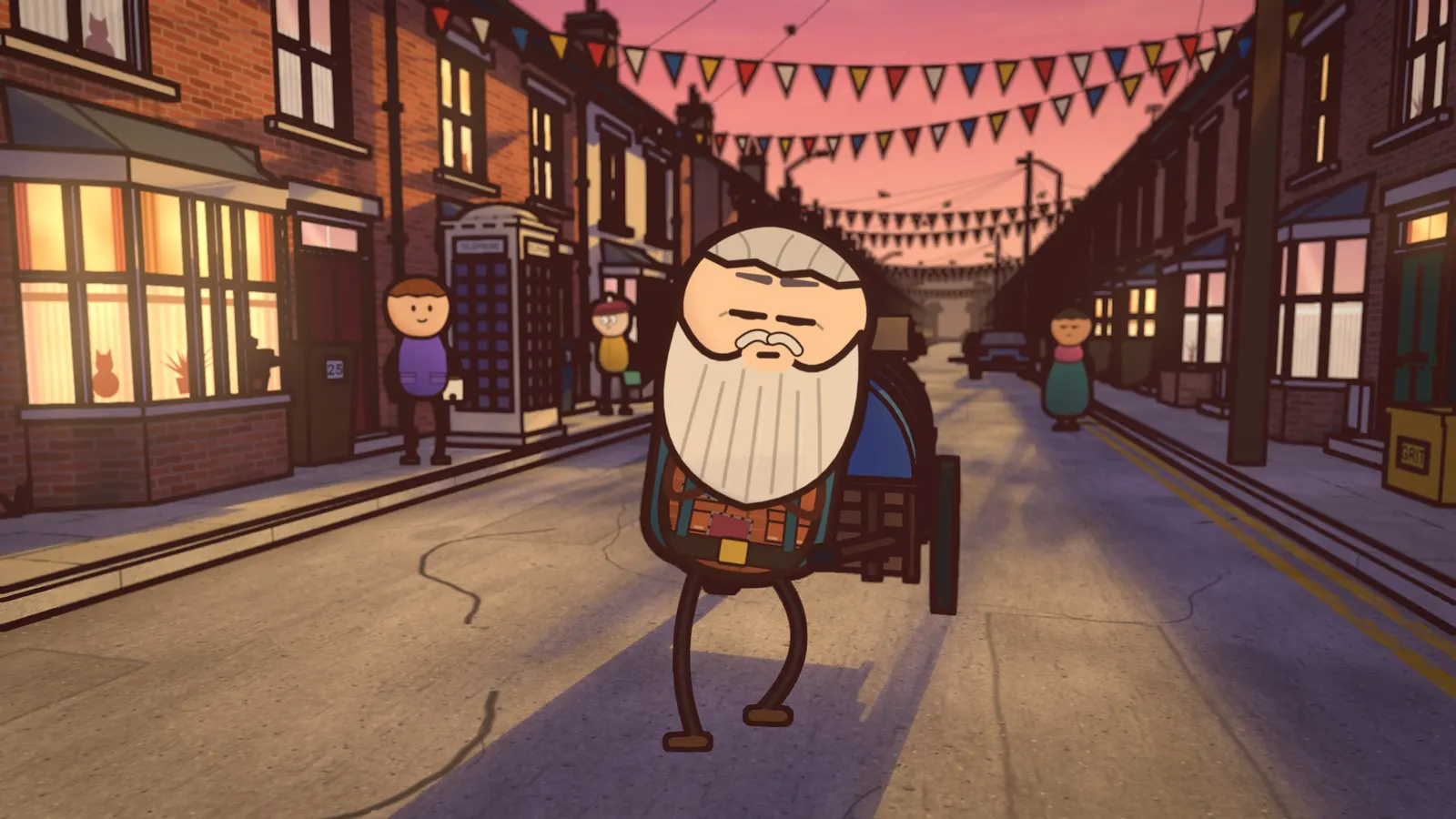
What you will end up with
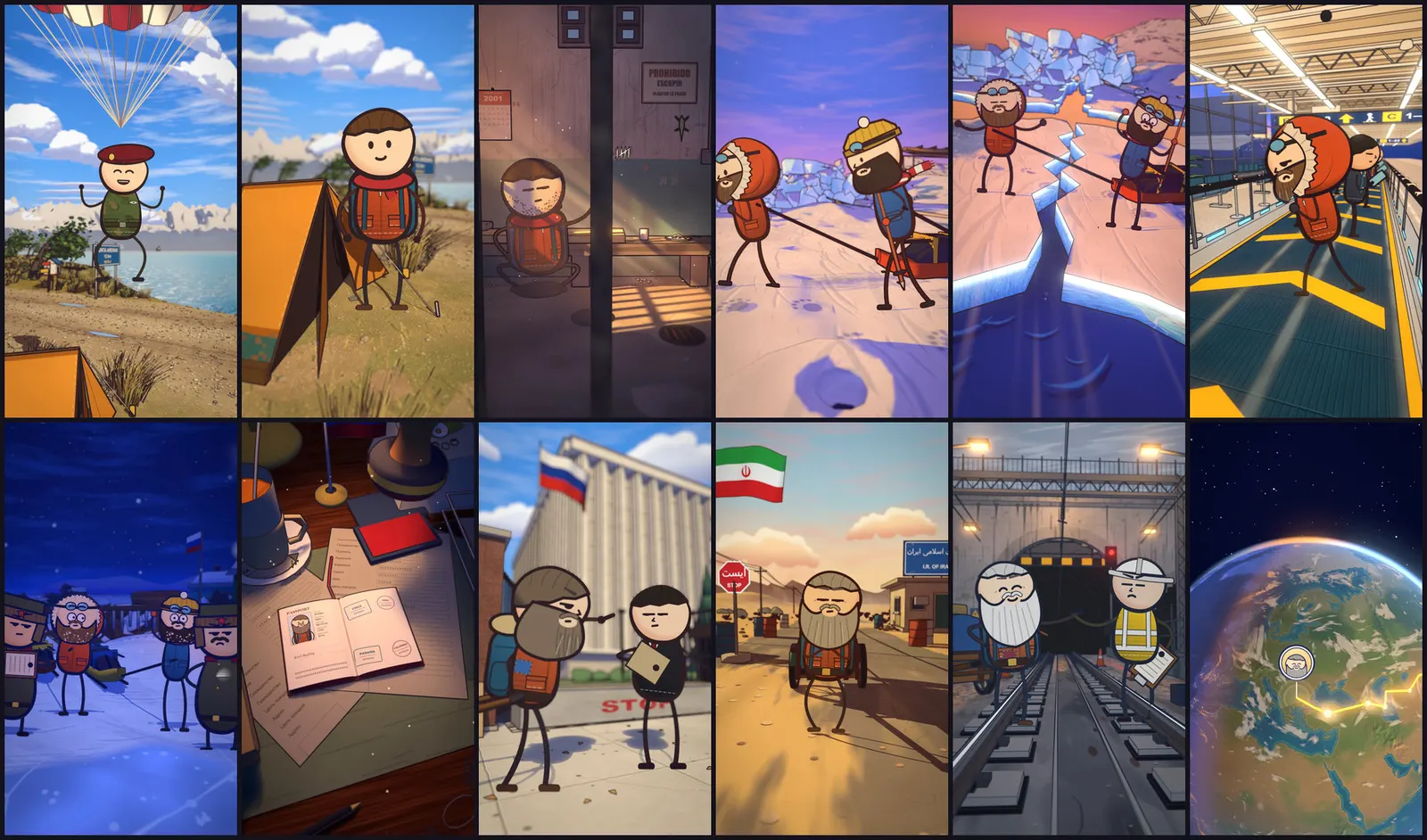
The example below is The Long Walk Home, a 75-second short about Karl Bushby, who walked home to England for 28 years. The finished numbers:
| Length | 74.6 s, 34 shots, 2,238 frames |
| Picture | 1440 x 2560 (vertical), 30 fps, H.264 |
| Sound | -14.0 LUFS, -1.2 dBFS peak |
| Full render | About 1 h 45 m on a 16 GB M1 Pro |
| QA | No black, white or frozen frames; every one-frame pop matched to a planned hit |
Long videos (6-10 minutes at 1920 x 1080) use the same sets and cast. This guide covers the short.
What you need
- macOS on Apple Silicon (this is the only setup we have tested)
- Blender 5.2, Node 20 or newer, Python 3.9 or newer, ffmpeg
- Claude Code
- Optional: ElevenLabs for narration (a 75-second short used about 3,000 credits), Zernio for posting, vidIQ for keyword research
What we have not tested: Windows, Linux, or running the pipeline in Codex. It has been run end to end on macOS, once to a finished film.
You can follow the steps below with any toolchain. The Cartoon Films pack packages the Blender sets, 2D cast, scripts and checks so you are not building them from nothing.
The 12 steps
1. Pick a true story that is visual
Choose one story that is physical, visual and funny on its facts alone. Skip tragedies and election news. For The Long Walk Home, Wikipedia daily views for the topic rose from about 9,000 to 147,000, which is the kind of signal worth checking: Google Trends, Wikipedia top pages, or vidIQ.
2. Write the claim table before the script
List every spoken claim and every number that will appear on screen, with two independent sources each. Where sources disagree, write down which value the film uses. Leave out anything you cannot settle. This table is what the truth check at the end tests against, so build it first.
3. Write the script to the narrator's pace
Use one beat structure: hook, setting, escalation (three or four beats), snap, a deadpan "Luckily... / Unluckily..." line, one idea explained with an everyday analogy, consequence, and a callback ending. In the example, drifting sea ice is explained as crossing an airport walkway sideways.
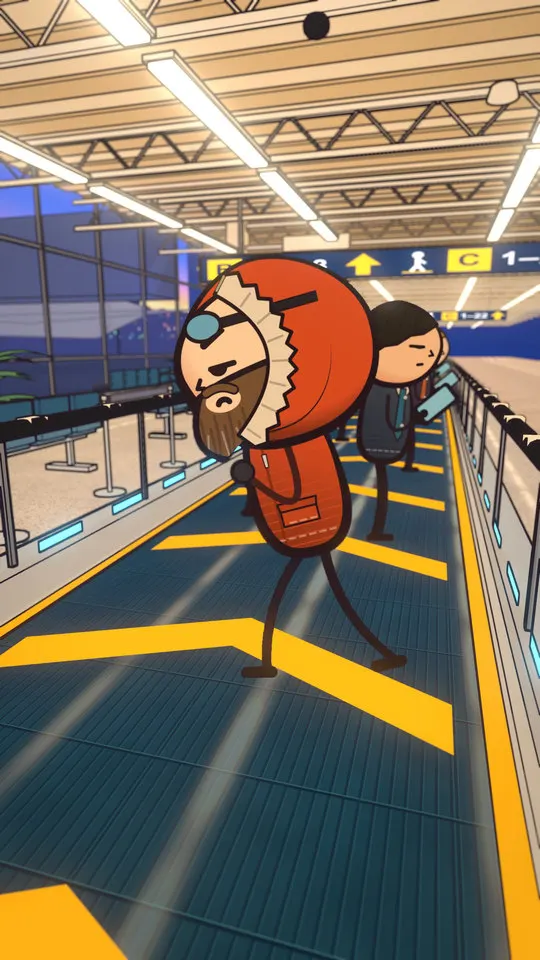
Write to the voice, not to a generic words-per-second figure. The narrator voice used here speaks about 2.6 words a second. At no more than 1.2x playback, 70 seconds holds about 200 words. A 230-word script would need about 1.3x, which was too fast to follow in testing.
4. Record the voice before any picture
Generate one narration take, listen, and only then lock the picture. Changing the voice after the picture is locked cost a whole extra round on the example film. Keep tempo at or under 1.2x, and get word-level timings from speech-to-text (hand-check them). Everything in the film hangs from that timings file. Narration is an AI voice: say so where a platform asks.
5. Build the timeline
One row per shot in blender/film.py: start second, set, colour preset, ink tint, and the line spoken. Pick the link between shots (none, dissolve, cut or wipe). The target is a continuous camera with very few hard cuts, and a new picture every 2-3 seconds. Reactions should land 0-3 frames before the word they respond to.
6. Choose and style the sets
The pack includes 18 Blender sets (terraced street, road, globe, sea ice, sea, jungle, jail, border gate, embassy, desk, airport, tunnel, cliffs, fields and more). You restyle them per film or build new ones from the same kit. Look: two-tone toon shading, painted textures, and compositor ink from depth, normals and object IDs, plus lens blur, glow and grade.
Rules of thumb from the playbook: field of view 75-85 for sets, 60-70 for faces; camera 1.1-1.5 m high looking down 3-10 degrees; hero head at least 25% of frame width in close and medium shots; about 18 props per frame.
7. Write the acting, one file per shot
Each shot has a JSON file listing who stands where, poses, faces, walks, props and effects. The cast engine draws every character on every frame as a 2D card that the 3D scene lights. The cast library has 36 outfits and crowd types, 28 expressions, 64 poses, 7 gaits, 24 props and 32 effects. Export a shot:
cd ~/films && npx tsx cast/export.ts --shot 1Then check every walking shot for single-frame jumps:
.venv/bin/python -I blender/cardcheck.py 1A flagged frame must be a planned snap, otherwise it is a bug.
8. Render a draft first
Render every shot at 720p and assemble a half-size draft. Fixing staging is cheap here and expensive after the final render.
.venv/bin/python -I blender/render_queues.py 1,2,3 --res 720 --fresh
.venv/bin/python -I blender/assemble.py --scale 0.5 --out out/film/draft.mp4
Review on consecutive frames, not selected keyframes. Pops and foot-skate hide in contact sheets.
9. Render the final
.venv/bin/python -I blender/render_queues.py 1,2,3 --fresh
.venv/bin/python -I blender/assemble.py
Use --fresh on every new pass: it reports frames found against frames wanted per shot, and every shot must read OK before you assemble. Four Blenders in parallel is plenty (about 27 frames a minute in total at full size on an M1 Pro; the GPU is the limit). Budget disk too: about 9.3 GB for the render output and 1.2 GB for sprites on this film.
10. Build the sound
Sound effects and score are synthesized, then ducked under the voice and mixed to -14 LUFS with about -1 dB peak (voice around -15 over a bed near -26.5 while speaking). Lock the picture first: any timing change means running the soundtrack again. Mux with ffmpeg:
ffmpeg -i out/film/picture.mp4 -i shorts/long-walk/audio2/mix.wav -map 0:v:0 -map 1:a:0 -c:v copy -c:a aac -b:a 320k -ar 48000 -t 74.6 -movflags +faststart clean.mp411. Run the checks
.venv/bin/python scripts/short_qa.py clean.mp4 out/qa_clean shorts/long-walk/shots_v2.jsonQA must show no black, white or frozen frames, and every listed pop must be matched to a planned hit. Then run two independent audits on the assembled film at 30 fps, one for picture (pops, continuity, sync, readability on a phone) and one for truth and sound (every claim against the claim table, on-screen spelling, loudness). Fix every "must" and "should" item and audit again. The example film took three picture passes and two truth passes.
Be honest about the limit: an AI agent cannot hear the final audio, so tone and pacing need a human listen before posting.
12. Deliver or post
Deliver a clean master and, if you want captions, a captioned copy. Post the captioned one and keep the clean one as the master for dubs: near-identical uploads on one account split views. An optional scheduled mode posts through Zernio only after a gate script has passed the exact file, and refuses duplicates. A film that fails a check is held, not posted.

What this costs in time and money
From the example film: the narration was one 90.8-second take, 2,978 ElevenLabs credits (about $0.54). The full render took about 1 h 45 m on a 16 GB M1 Pro. A partial re-render of 1,476 frames took about 55 minutes, so lock staging at the draft stage. We make no claims about views or earnings: this guide covers making the film, not what a platform does with it.
Common failures to expect
- A character's head snapping for one frame in a walk cycle: catch it with the card check, not with contact sheets.
- A pulled cart sliding through the body: the pack solves a real 3D cart to the hip on every frame.
- A whole-frame snap when the sun drops behind hills: fade the sun strength over about 20 frames.
- A voice change after picture lock: avoid it by recording the voice first.
Get the pipeline
The Cartoon Films pack contains the skill Claude Code follows, the Blender playbook with every failure we hit, the engine (sets, cast, captions, QA tools, channel-art tools), and the example film's script, notes and sound scripts. One-time purchase, licensed to one named person, or one company for one internal team of up to 5 people. You own the films you make. See the pack page for requirements and the license summary.
FAQ
Can I do this on Windows or Linux? We have only tested macOS on Apple Silicon. Blender runs elsewhere, but we have not verified the pipeline there.
Does it work in Codex? Not tested. It is built as a Claude Code skill.
How long does one short take? The example's full render took about 1 h 45 m on a 16 GB M1 Pro, plus time for facts, script, voice, drafts and checks.
Do I need ElevenLabs? It is optional; it is what we used for narration and word timings. Any narration plus word timings can drive the timeline.
Who owns the films? You do. One purchase licenses one named person, or one company for one internal team of up to 5 people. The pack cannot be copied, shared, resold or used to train AI models. Full text on the licenses page.