Sell animated explainer shorts to local businesses: a plain offer, price sheet and delivery checklist
Short answer: many small businesses want short vertical videos that explain one thing, and few have the time to make them. If you can deliver a script-approved, fact-checked, captioned 30 to 60 second animated short on a predictable schedule, you can offer it as a fixed-scope service. This guide gives you the offer, a way to price it from your own hours, and a checklist so nothing embarrassing reaches the client. Results vary; no income is guaranteed.
Written by the Buy Agent Skills team. Updated 13 November 2026.
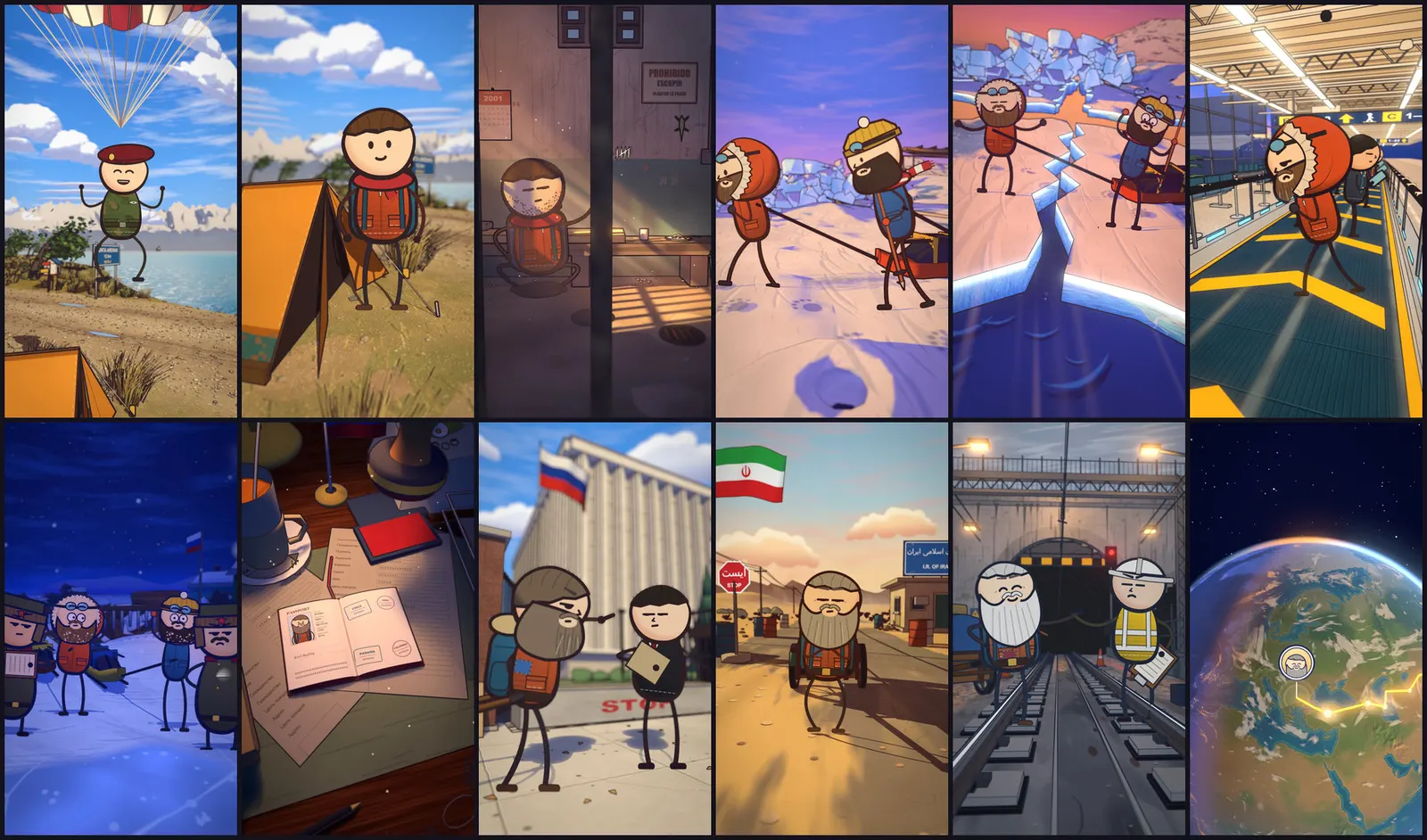
Watch the demo Short on YouTube
Who actually buys this
Think of businesses with one idea to explain and no video team:
- Service businesses: dentists, accountants, plumbers, cleaners, solicitors. Their questions repeat ("What happens at a first appointment?", "What does a boiler service include?").
- Local shops and restaurants: a 30 second story about how something is made, or a seasonal offer.
- Course creators, coaches and podcasters: a short that turns one lesson or episode into a clip.
- Non-profits and clubs: an event explainer or "how to join" video.
What they have in common: the topic is already known, the audience is local or niche, and a studio quote is out of reach. Animation also suits businesses that do not want to film staff or customers.
Some of these are better first clients than others. Pick the ones where the owner can approve a script quickly and who already post on social media. A client who takes three weeks to reply will cost you more than they pay.
Keep the offer small and fixed
A vague "I make videos" is hard to buy. A fixed scope is easy to say yes to and easy for you to deliver. Three offers that work as a starting menu:
- Explainer short. One animated short, 30 to 60 seconds, from a script you write and the client approves. Includes captions.
- FAQ short. One customer question answered in 30 to 45 seconds. Good as a repeat order: "three FAQs a month".
- Story short. A short narrative about the business or a true local story, 55 to 75 seconds. Our Cartoon Films pack is built for vertical shorts in this range (see the spec below).
Write each as one sentence a client can repeat: "One 45-second animated explainer, captioned, delivered as a vertical video, with one round of changes." If you cannot say it in a sentence, narrow it.
A price sheet you build from your own hours
We are not going to quote market rates. Third-party blogs publish freelance video rates, but they are unverified, vary by country and niche, and often sit next to earnings claims. Build your own number from three things you control:
- Your real hours per short. Time a first project honestly: script and approval, fact-check, voice, render supervision, captions, review, packaging, client messages.
- Your hourly rate target. What you need to earn per working hour after tax and tools.
- Your costs per short. Voice credits, software, storage, posting tools.
Price per short = (hours x hourly target) + costs per short, then round to a clean number.
Here is an illustration with made-up numbers, only to show the arithmetic. These are not market data or a recommendation:
| Item | Example |
|---|---|
| Hours for one 45 s explainer | 6 |
| Hourly target | 30 |
| Costs per short | 10 |
| Price | (6 x 30) + 10 = 190 |
Then add rules to the sheet so scope does not creep:
- One round of changes included; extra rounds quoted separately.
- Client supplies logo, brand colours and facts you must use.
- Rush delivery costs more.
- Monthly bundles (for example three FAQ shorts) priced lower per short than one-offs, because you reuse the setup.
Render time belongs in your hours, not in a hopeful guess. In our own testing of the Cartoon Films pack, the 74.6 second example film (34 shots, 2,238 frames) took about 1 hour 45 minutes to render fully on a 16 GB M1 Pro. A shorter 30 to 45 second explainer should take less, but time your own machine on a first job before you promise dates. The render runs on its own while you do something else, but it is still a queue: do not take ten rush orders for one Tuesday.
The delivery checklist
This is the part most guides skip. Each item prevents a specific kind of client complaint.
Before you make anything
- Written scope: length, format, number of changes, delivery date, price, what the client must send.
- Client names one person who approves, and agrees to reply within a set time.
- You have the facts: opening hours, prices, claims the client wants made. Do not invent any.
Script
- Script written to the length (about 2 to 3 spoken words per second is a safe planning figure for voice-over; check against your own recorded voice).
- Client approves the script in writing before you render. Changing words after rendering is the expensive mistake.
- Every factual claim checked against the client's own material or two reliable sources. The same claim-table method we use for story shorts works for business facts: Fact-checking AI videos.
- No claims that need a licence or proof you do not have (medical, legal, financial results, "best in town").
Production
- Voice and, if used, any real person's likeness handled with permission. Do not clone a real person's voice without their consent.
- Captions on and readable on a phone. Words placed in the scene itself can look better than plain subtitles; see Animated captions in scene.
- Logo and brand colours correct; spelling of the business name, address and phone checked letter by letter.
- Preview watched start to finish on a phone, with sound on and with sound off.
Delivery
- Final vertical video file, plus a landscape version if you quoted one.
- Caption file or burned-in captions, as agreed.
- Short note on what the video says and what the client approved.
- Source of any third-party assets recorded (see the licence note below).
- Invoice sent after delivery, through your own invoicing. We do not handle payments for your clients.
Licence note: what you can say to a client
Check the licence of every tool you use before you sell its output. For Cartoon Films, the licence says that films, videos and images you make with the pack ("Output") are yours, and you may publish and monetize them. The pack itself, its sample films, characters and sets may not be shared, resold or republished as yours. One purchase covers one person, or one company team of up to five people.
The licence does not describe client work as a separate case. If you have a question about your specific arrangement, write to support@buyagentskills.com before you quote the job. Do not hand a client the pack's source files, and do not promise them "the characters" as an asset they own. You deliver the finished video, not the engine.
Full text is on our licenses page.
Be honest about what the tooling can and cannot do
- Cartoon Films was tested on macOS with Apple Silicon and Blender. We did not test it on Windows, Linux or in Codex, so we do not claim it works there. It works with Claude Code.
- It produces vertical shorts of 55 to 75 seconds at 1440x2560 and longer 6 to 10 minute videos at 1920x1080. If a client wants a 15 second ad in a specific format, you may need to trim or adapt it yourself.
- The animation style is cartoon scenes in 3D sets with cast characters, not a photo-real or logo-motion tool. Show the client the demo first so they know the look before they commission.
- Agents make mistakes: read every script and watch every frame. A client's name spelled wrong is your problem, not the model's.
A simple way to find the first client
- Make one sample that fits your offer, using a topic you know well. See how to make animated true-story shorts with Claude Code for the pipeline.
- Pick five local businesses whose social pages are active but have no video.
- Send each a short, specific message with one idea for a video about their business and a link to your sample. No mass mailing; each message should show you looked at their page.
- Offer the fixed-scope explainer. Let them say yes or no.
If you want the wider picture of ways to earn from the same pipeline, including a channel and a film service, read what is realistic with animated short films.
FAQ
Can I use AI-made animation for client work? Generally yes, but check each tool's licence, the platform's rules where the client will post, and any disclosure rules that apply to your client's industry or country. This guide is not legal advice.
How long does one short take? It depends on length, how fast the client approves, and your hardware. Our full 74.6 second example render took about 1 hour 45 minutes on a 16 GB M1 Pro, plus script, voice, review and revisions. Time your own first job.
What should I charge? Build the price from your hours, your hourly target and your costs, as above. We do not publish market rates because we cannot verify them.
Will this earn me an income? It can, if you find clients and deliver reliably. It is real work, and results vary; no income is guaranteed.
Next step
If you want the pipeline behind the shorts in this guide, see the Cartoon Films pack: script to render to captions, tested end to end on macOS with Apple Silicon and Blender, and built to work with Claude Code.