Faceless animated YouTube Shorts with AI: from script to render
Short answer: a faceless channel needs a story, a voice and pictures. Many people use stock clips plus a generated voice. This guide covers the other route: real animated scenes with a consistent cast, produced from a script by a pipeline you run yourself, with checks before anything is uploaded.
Written by the Buy Agent Skills team. Updated 8 November 2026.
Watch the demo Short on YouTube
What "faceless" means in practice
You do not appear on camera. The channel is carried by a narrator voice, characters and a recurring look. Done well, it is a consistent mascot or cast in recognisable worlds. Done badly, it is unrelated stock footage under a voice.
Tool-based vs pipeline-based
| Template or SaaS tool | Pipeline you run yourself | |
|---|---|---|
| Setup | Minutes in a browser | An evening installing and reading |
| Visual consistency | Depends on the tool's library | Same sets and cast every film |
| Cost model | Often a recurring plan | One-time pack, plus optional voice credits |
| Control | Limited to what the tool exposes | Everything is files you can edit |
| Your effort | Low | Higher: you review each film |
Neither is better for everyone. See Cartoon Films vs hiring an animator vs a template tool for the longer comparison.
Script
Write to the narrator's pace and put the surprising fact first. The script formula guide breaks down the beats. Source every claim before you write; see fact-checking AI videos.
Voice
Use one steady narrator. In the Cartoon Films pack the voice is generated with ElevenLabs through a connector in Claude Code, at a tempo no higher than about 1.2x. A 75-second short used about 3,000 credits. ElevenLabs is optional: any narration with word timings can drive the film. Disclose that the narrator is an AI voice wherever a platform asks.
Visuals: sets and cast
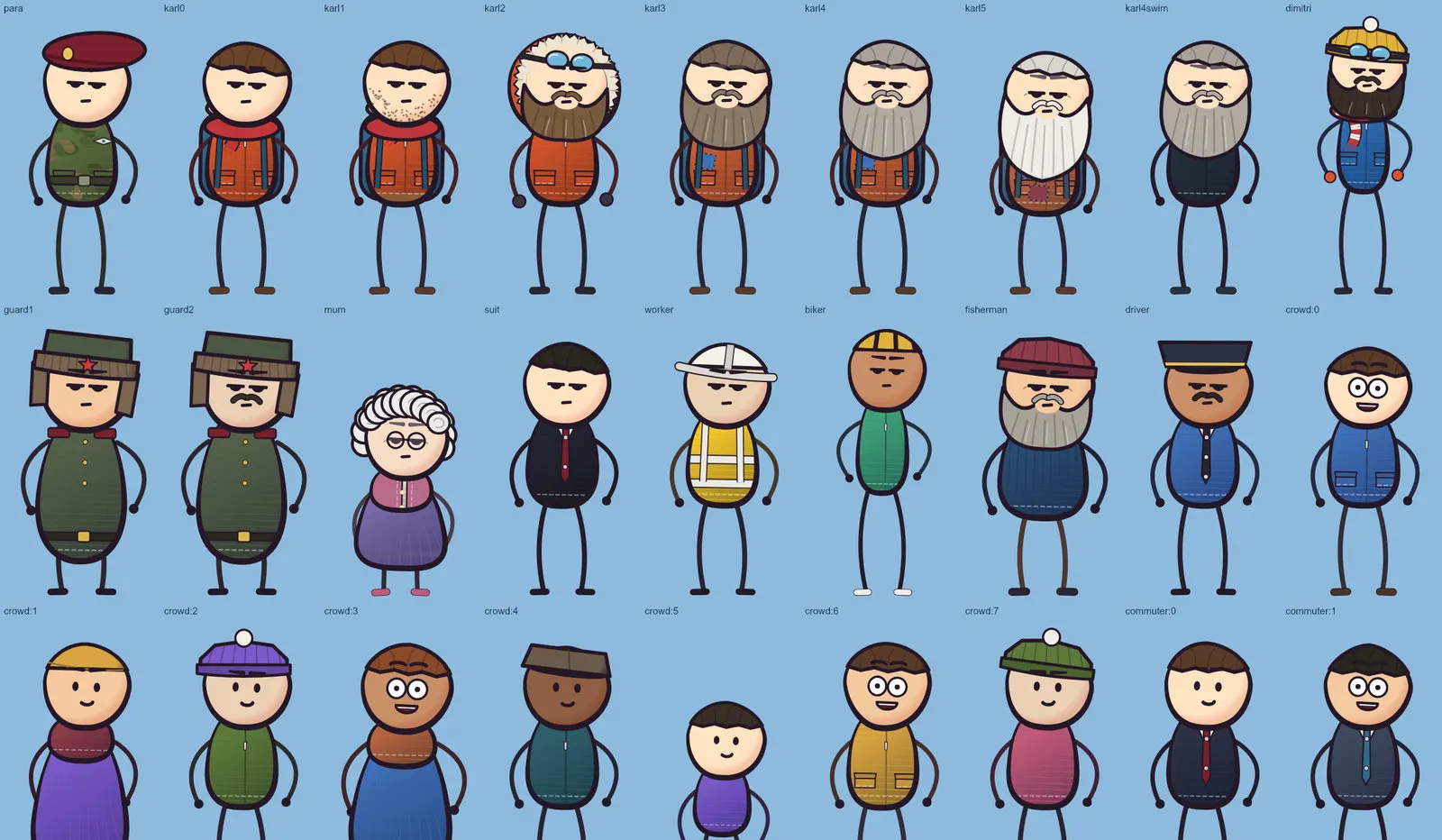
The pack provides 18 Blender sets and a 2D cast: 36 outfits and crowd types, 28 expressions, 64 poses, 7 gaits, 24 props and 32 effects. That is what keeps a channel's films looking like one series.
Render and captions
Shorts are 1440 x 2560, 30 fps, -14 LUFS. The example film (74.6 s, 34 shots) took about 1 h 45 m to render on a 16 GB M1 Pro. Captions are optional and planted in the scene; a clean master is always kept.
QA checklist before upload
- No black, white or frozen frames
- Every one-frame pop matched to a planned hit
- Loudness at about -14 LUFS
- Every claim checked against your table
- A human listen to the final audio
- Title under 60 characters, plain facts, no spoiler of the ending
- Description with a short story summary, a disclosure line and sources
Disclosing AI content on YouTube
Platforms change their rules on synthetic and altered content. Read YouTube's current policy before you upload, and follow its disclosure options. We do not summarise the policy here because it changes. Start with YouTube Help: Disclosing use of GenAI content, and if you plan to monetise, the YouTube channel monetization policies. Rules vary and change; read the current pages yourself.
Where Cartoon Films fits
The Cartoon Films pack packages the sets, cast, scripts and checks for this workflow. Start with the 12-step pipeline guide, and read the posting guide before you automate uploads. Only macOS on Apple Silicon is tested, with Blender 5.2, Node 20+, Python 3.9+, ffmpeg and Claude Code.
FAQ
Is faceless allowed on YouTube? Platform rules apply to content, not to whether you appear on camera. Read the current policies for your channel.
Do I need to disclose AI? Check YouTube's current policy on disclosing GenAI content. Our pack's rule is to disclose an AI narrator where a platform asks.
Which voice options? ElevenLabs is what we tested. Any narration with word timings can work, though we have not tested others.
How long should a Short be? The pack targets 55-75 seconds in vertical 1440 x 2560.
Is it passive income? No. You still choose and check each story and review each film. We make no claims about views or earnings.