How to make money with Claude Code or Codex using animated short films (what's realistic)
Short answer: a coding agent can turn a script into a finished vertical animated short, which gives you something to sell or publish. It can earn through your own channel, through client work, or through a film service. None of it is guaranteed, and the work is real. Results vary; no income is guaranteed.
Written by the Buy Agent Skills team. Updated 10 November 2026.
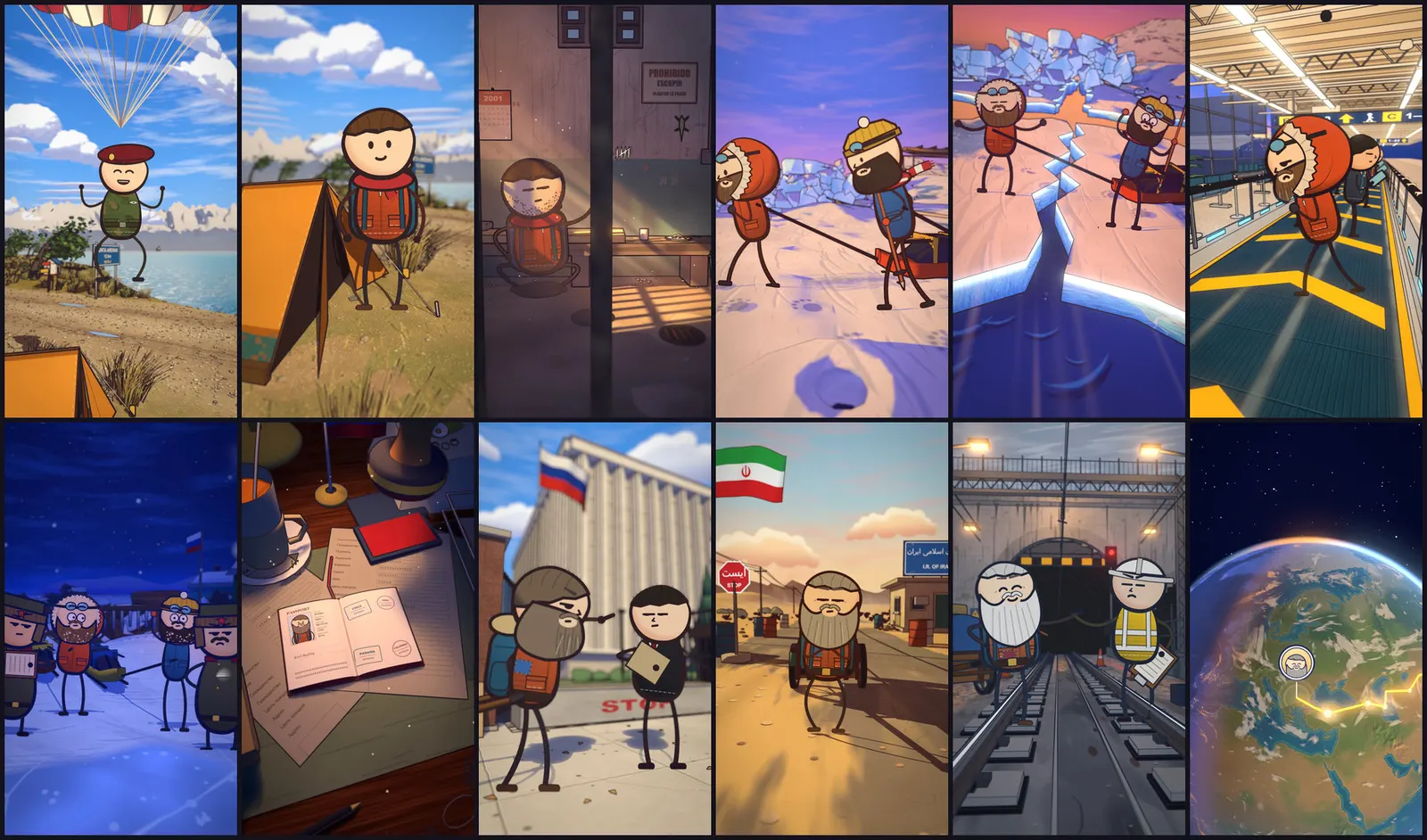
Watch the demo Short on YouTube
Why this idea is everywhere right now
Search for "claude code side hustle" or "codex make money" and you will find a lot of screenshots of earnings and very little about the work behind them. We will not add to that. What we can describe is what the tooling actually produces, what the platforms require, and where the time goes.
The useful part is simple. Short animated video used to need an animator, a voice artist and an editor. A coding agent running a tested pipeline can now do most of the assembly, and you supply the idea, the judgement and the quality checks. That is a skill you can build and offer. Whether it pays depends on your topics, your consistency and your clients.
Three ways it can earn
1. Your own channel
You publish animated short films and, once the platform's thresholds are met, earn from the platform's partner programme. It can also lead to sponsorships or sales of your own products. It is the slowest route: you carry all the risk, and views are not something anyone can predict. See the faceless channel workflow in Faceless animated YouTube Shorts with AI.
2. Client shorts
Small businesses, creators, podcasters and educators often want short vertical videos but have no time or budget for a studio. You make shorts for them and charge for the work. It is the fastest route to a first payment because the client brings the topic and the audience. You compete on reliability and turnaround.
3. Selling films as a service
A narrower version of the client route: a fixed offer such as "one 60-second animated explainer from your script". A fixed scope makes quoting easier and lets you reuse the same pipeline every time. It needs a clear sample, which is why a finished demo matters.
What a real run produces
Numbers matter more than adjectives, so here are the ones from our own testing of the Cartoon Films pack:
- Output: vertical shorts of 55 to 75 seconds at 1440x2560, 30 fps.
- Example film: 74.6 seconds, 34 shots, 2,238 frames.
- Render time: about 1 hour 45 minutes on a 16 GB M1 Pro.
- Tested on macOS with Apple Silicon and Blender. We have not tested it on Windows, Linux or in Codex, so we do not claim it works there.
The render time is the number most people miss. An afternoon can get you set up and through a first film, but you cannot publish ten a day from one laptop. Plan your volume around that.
The pack covers the whole pipeline, from script and fact-check to render and captions. You can read how the steps fit together in How to make animated true-story shorts with Claude Code.
The channel route: what the platform requires
For YouTube, the partner programme has more than one tier, and the figures change. Third-party explainers we reviewed (for example aishortgen.com and virvid.ai) describe subscriber thresholds combined with either watch hours or a large number of Shorts views over a recent window. Their wording differs, so treat these as third-party summaries and check YouTube's own Help pages for the current numbers before you plan around them.
Two things are consistent across the sources:
- AI-made content is allowed. Mass-produced, templated or repetitive content is what gets channels into trouble under the "inauthentic content" rules. Each video needs its own script, angle and cast, not a swapped title on the same template.
- Animated or clearly unrealistic content generally does not need an "altered or synthetic" label the way realistic fake footage does, but confirm against the current policy.
A pipeline helps with the second point because you vary the story, sets and characters every run. A fact-check step also protects you, because wrong claims do the most damage to a channel's reputation. See Fact-checking AI videos.
The client route: what freelancers report
Several third-party guides discuss freelance AI video work and the rates people say they charge, such as genra.ai, freelancewitherica.com and clippie.ai. These are vendor or creator blogs, they are not audited, and some sell tools. We do not repeat their figures. Use them to see the range of offers, then price from your own time.
A sensible way to price:
- Time one complete film yourself, including scripting, review, render and fixes.
- Add revision time. Clients ask for changes.
- Decide the hourly figure you need, and quote at that, not at what someone online says.
Check client rights before you start: who owns the film, who supplies the script and facts, and whether the client's topic is safe to publish.
Risks, said plainly
- No guarantee. Views and clients are not predictable. Many new channels earn nothing for a long time.
- Inauthentic content rules. Thin, repetitive videos can lose monetisation.
- Time. Rendering and review take hours per film.
- Accuracy. An AI script can state wrong facts. Verify every claim before posting.
- Costs. Optional tools such as voice generation have their own usage costs.
- Platform changes. Rules and thresholds change; re-check them.
Start in an afternoon: practical steps
- Pick one route: channel or client. Do not try all three at once.
- Pick a narrow topic, such as true stories that sound made up or short explainers for one type of business.
- Check your machine. The Cartoon Films pack needs macOS on Apple Silicon, Blender, Node 20+, Python 3.9+, ffmpeg and Claude Code. It works with Claude Code; it has not been tested in Codex.
- Make one complete film from a script that you have fact-checked.
- Watch it as a stranger would. Fix pacing and captions before posting or sending.
- Publish it or send it as your sample, then decide whether to make a second one.
- If you post on a schedule, use gates rather than blind automation; see safe scheduled posting.
What Cartoon Films gives you
Cartoon Films is a tested, paid pack of skills and tools for making animated short films and longer films with a coding agent. It includes a library of 18 Blender sets, 28 expressions, 64 poses and 24 props, plus the pipeline steps for script, fact-check, voice, render and captions. You own the films you make; the pack itself may not be copied, shared or resold, under a single-user licence. It does not promise views or income.
FAQ
Can you really make money with Claude Code? Some people can, through client work or a channel, but it depends on effort, topic and demand. No result is guaranteed.
Does this work with Codex? The pack is built around Claude Code. We have not tested Cartoon Films in Codex, so we do not claim it.
Will YouTube demonetise AI animated short films? AI-made videos are allowed, but repetitive or mass-produced content can be treated as inauthentic. Vary each video and check the current policy.
How long does one film take? Our 74.6 second example took about 1 hour 45 minutes to render on a 16 GB M1 Pro, plus the time to write and check the script.
Do I need to be an animator? No, but you do need to review and fix output, and to learn the pipeline.
Results vary; no income is guaranteed. Independent product. Not affiliated with or endorsed by Anthropic or OpenAI.