Blender 3D sets with 2D cartoon characters: the look, explained
Short answer: flat, ink-outlined 2D characters are drawn fresh on every frame and placed as lit cards inside painted, ink-lined 3D Blender sets. The set gives you real depth, light, shadow and camera moves; the 2D cast gives you cheap, readable acting. This guide explains how the pieces fit, using the sets and cast from one finished 75-second film.
Written by the Buy Agent Skills team. Updated 8 November 2026.
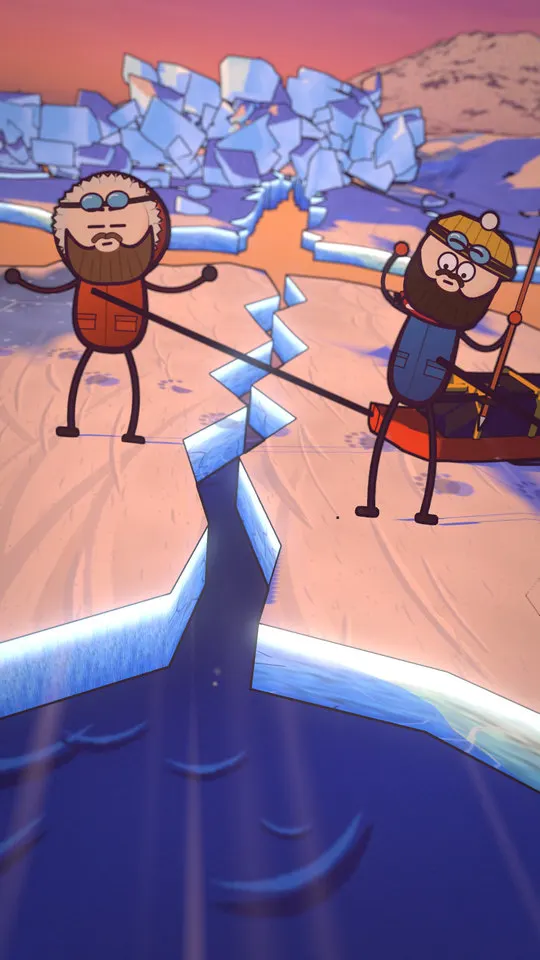
Watch the demo Short on YouTube
Why mix 3D sets with 2D characters
Fully 3D characters need rigging, skinning and animation clean-up. Fully 2D scenes need every background drawn and every camera move faked. The mixed look takes the cheap half of each:
- 3D set: real perspective, a camera that glides and pushes in, lights and shadows that stay consistent, depth blur.
- 2D cast: a drawing engine that outputs a character for each frame from a pose, a face, a gait and a prop list. No rig to fix.
In the Cartoon Films pack the cast is exported as one 2D card per character per frame, and Blender lights that card with the shot's light. The result reads as drawn characters standing in a painted world.
The look in four layers
- Toon shading. Two-tone shading (a lit tone and a shade tone) instead of smooth gradients, on models with painted textures.
- Ink. An outline built in the Blender compositor from depth, surface normals and object IDs, so silhouettes, depth jumps and creases get a line and wall-floor joins do not.
- Lens. Depth-of-field blur on close-ups and medium shots, glow on bright emissive things, then a colour grade.
- Characters. Bean-shaped heads, stick limbs, a plum outline slightly thicker on the shadow side.
One detail that sells it: the cart in the example is a real 3D object. Each frame it is solved to the hip of the drawing and its wheels roll along the line of the feet, so it does not slide through the body.
The 18 sets
The pack ships 18 ready Blender sets that can be restyled per film or extended with new ones built from the same kit. Examples: a terraced street, a road, a globe, sea ice, open sea, jungle, a jail, a border gate, an embassy, a desk, an airport, a tunnel, cliffs and fields.
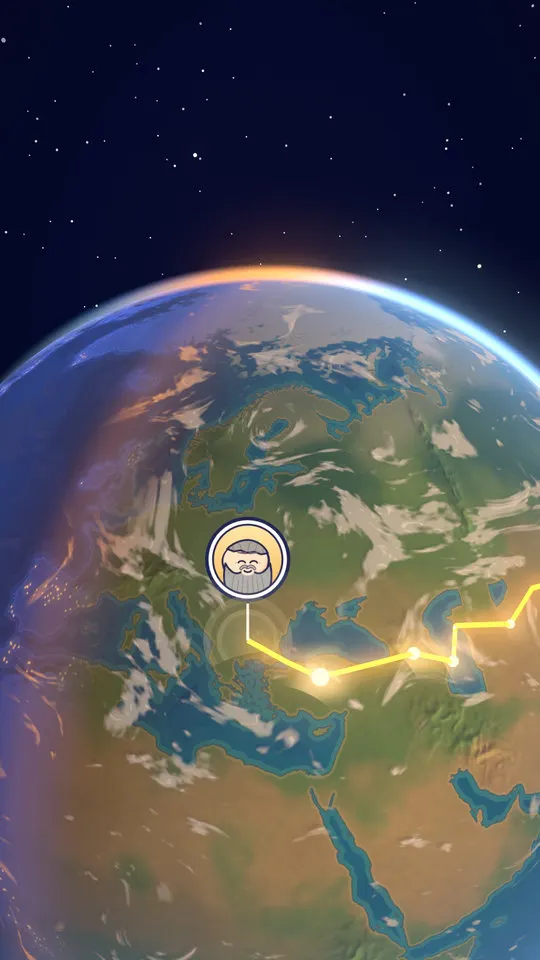
A few staging rules that came out of the example film:
- Hold a framing for no more than about 4 seconds, and keep a character in any shot longer than 2 seconds.
- Fog colour equals the horizon colour, so distance fades instead of cutting off.
- Use bloom only on bright emissive things, never on the whole frame.
- Painted thin lines (road or pitch markings) must be excluded from the ink pass, or they get outlined black.
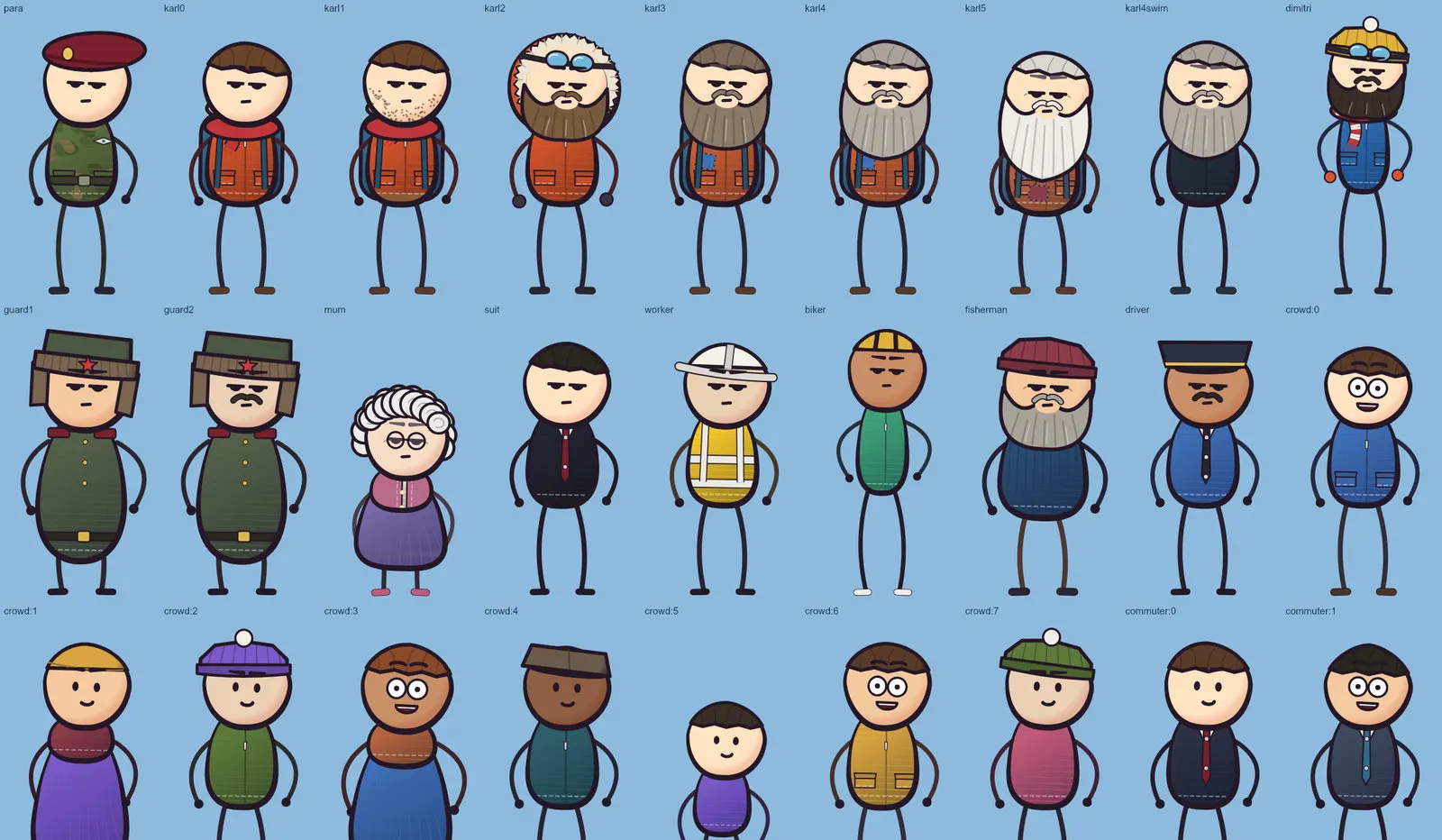
The cast: outfits, faces, poses, gaits
| Part | Count |
|---|---|
| Outfits and crowd types | 36 |
| Expressions | 28 |
| Poses | 64 |
| Gaits | 7 (walk, march, old, trudge, run, crawl, tread) |
| Hand props | 24 |
| Effects | 32 |
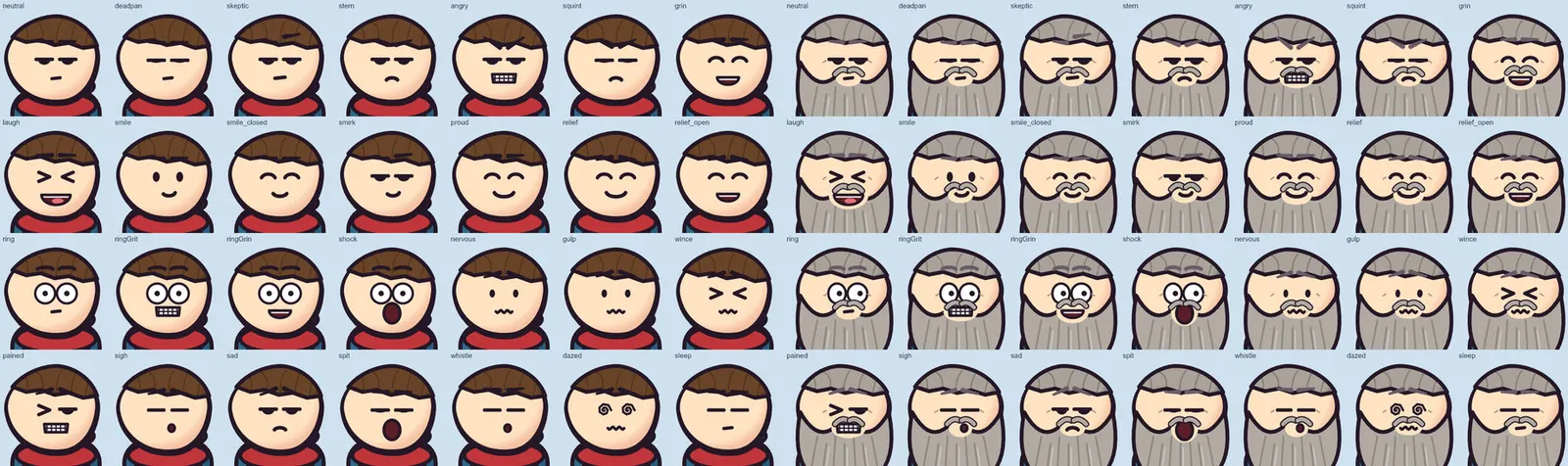
Any face works with any character. Each shot gets one small JSON acting file: who stands where, which poses, faces, walks, props and effects. The exporter draws every character on every frame.
Props that tell the joke
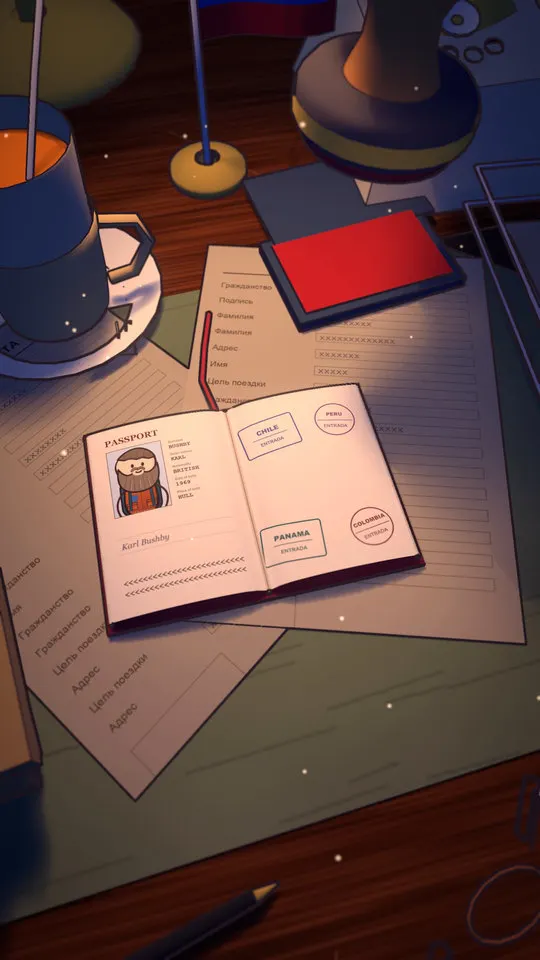
The strongest shots give each line one prop that carries it: a stamp, an X, a sold sign. Make key props big and in front, and never hide them behind a caption or a character.
The analogy, staged
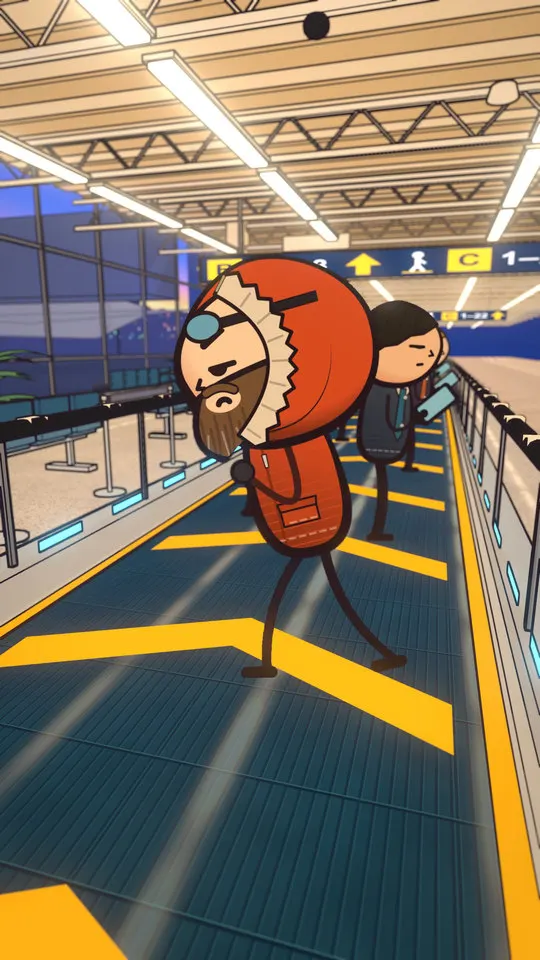
The example explains drifting sea ice as "crossing an airport walkway sideways". One analogy per film, shown literally on screen, does more than any camera trick.
Camera and vertical framing
Shorts render at 1440 x 2560, 30 fps. Blender's camera field of view is vertical, so a wide long-form shot (1920 x 1080) wants roughly 45 to 55 degrees, with the set dressed left and right and heads around 12 to 18% of frame width.
Render time
From the example film: 74.6 s, 34 shots, 2,238 frames. Full render about 1 h 45 m on a 16 GB M1 Pro, using four Blenders in parallel (about 27 frames a minute at 1440 x 2560). Long-form frames run about 3 seconds each at 1920 x 1080. Check staging first with every 30th frame at 720p on contact sheets; fixing it there is cheap.
Requirements and honest limits
macOS on Apple Silicon is the only tested setup. You need Blender 5.2, Node 20+, Python 3.9+, ffmpeg and Claude Code. Windows, Linux and Codex are untested. The Cartoon Films pack includes the sets, cast engine and the playbook; see the 12-step pipeline guide for the full process and the long-form guide for reusing sets in 6-10 minute films.
FAQ
Do I need Blender experience? The pack drives Blender from scripts and an agent, so you do not model by hand for the included sets. You should be comfortable with a terminal and willing to read the playbook.
Which Blender version? 5.2 is the version we tested.
Can I render on a laptop? The example film rendered on a 16 GB M1 Pro in about 1 h 45 m. Other hardware is untested.
Does it work on Windows? Not tested.
Can I use the sets in my own films commercially? Yes, in films you make: those films are yours to publish and monetise; the pack's own sample films, characters, sets and channel art are not, and may not be republished as yours. The pack itself cannot be copied, shared, resold or used to train AI models. Full text on the licenses page.